Write locally
Create notes in a focused editor and add files or folders as attachments.
Client-side encrypted notes
A private notes workspace where note text, files, and folders are encrypted in your browser before they touch the server.
Front-end encryption
Many note apps protect data after it arrives on their servers. SecureNotes moves the most important step earlier: the browser derives the key, encrypts the archive, and uploads only ciphertext.
Create notes in a focused editor and add files or folders as attachments.
The browser builds a zip with a required note.txt and the selected attachments.
PBKDF2-SHA256 derives a 256-bit key and AES-256-GCM encrypts the zip payload.
The server receives an .enczip archive, not the plaintext note or master password.
The workspace
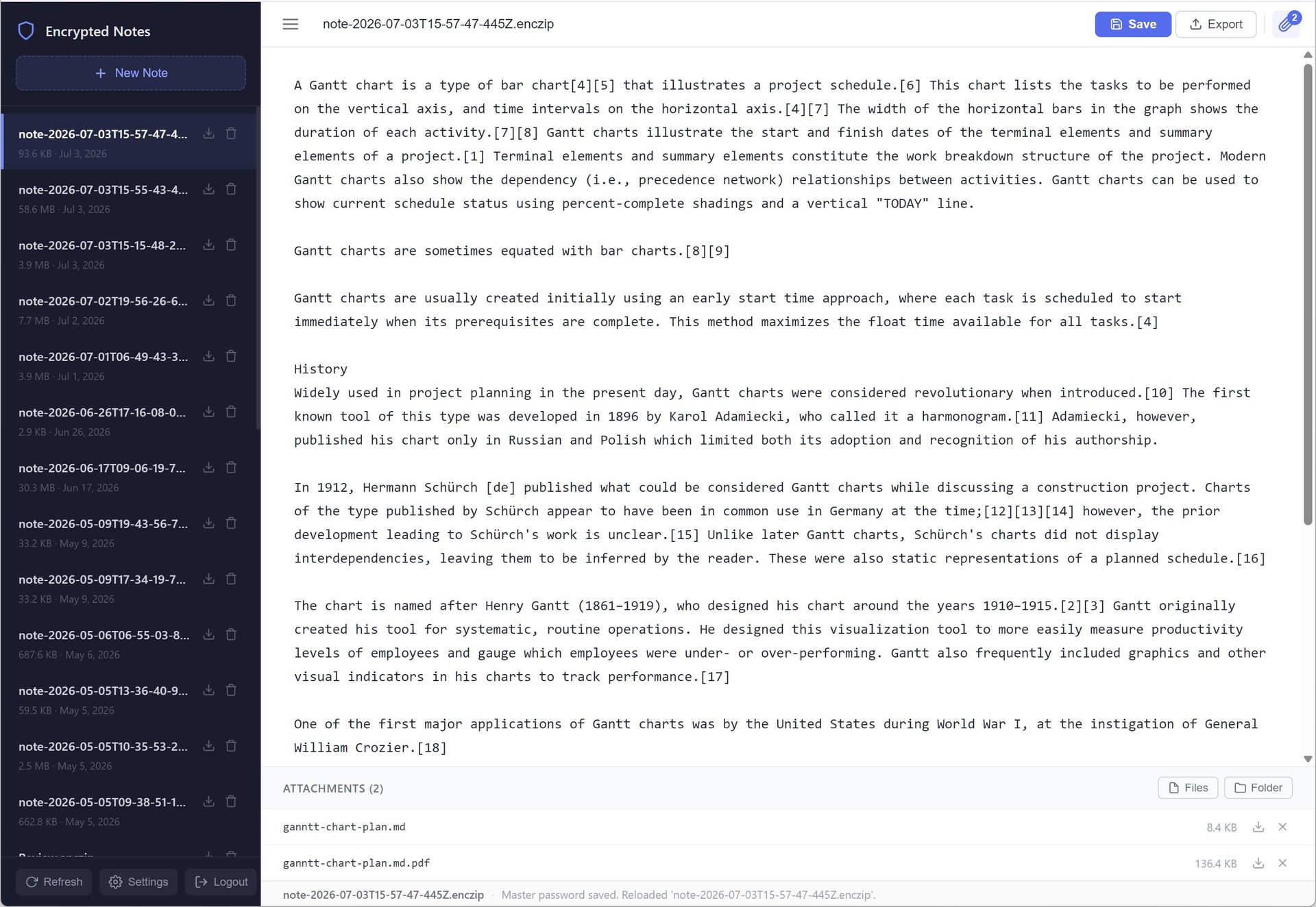
SecureNotes keeps the interface familiar: a sidebar of encrypted archives, a clean editor, one-click save, decrypted zip export, and attachment management for files or folders.
Why it stands apart
SecureNotes treats the browser as the trusted place where notes are readable. The backend is just durable storage for encrypted archives.
| Capability | Typical note app | SecureNotes |
|---|---|---|
| Encryption boundary | Often after server receipt or only at rest. | Before upload, inside the browser. |
| Backend visibility | May process plaintext for sync, search, or previews. | Stores opaque .enczip files. |
| Attachments | Often separate from the note body. | Files and folders are encrypted inside the same archive. |
| Password model | Usually recoverable through account systems. | Master password is required; no recovery means fewer backdoors. |
Everyday secure workflow
Edit directly in the browser, auto-save when switching notes, and keep the note archive name visible.
Add documents, exports, logs, screenshots, or full folders to the same encrypted payload.
Download the encrypted archive for storage or export a decrypted zip when you intentionally unlock it.
Get started
SecureNotes is a self-hosted ASP.NET Core app with a React front end. Start it locally and open the app URL shown in the terminal.
dotnet run
Honest security
SecureNotes keeps plaintext note content and the encryption password away from the backend. The master password is still the key to your archives: if it is lost, encrypted notes cannot be recovered.